
Signal Music: A library built for listening and DJing
I wanted to listen to my own music. I have a catalog of remastered tracks, and getting to it through an app that seemed more interested in selling streaming than playing my files had become frustrating. Setting up an entire ecosystem just to hear my own collection felt like too much work.
That was the starting point for Signal Music. While building it, I decided to add a phrase analyzer. It worked, and the app became something I use every day: listening to music, arranging playlists, and looking at how songs are structured.
Let the library follow the files
Dropbox became the connection between the music files and the app. Signal Music scans a configured directory for new music and adds tracks to the library using the metadata in the files.
A separate folder holds playlists in .m3u format. I can drop music and playlist files into those folders, then let the app look for changes the next time it launches. The library updates around the collection I am already maintaining.
That workflow keeps the everyday task simple. Add the files, open the app, and listen. It also gives playlists a life outside the listening interface.
See the structure, then move through it
Loading a song shows a monochrome waveform that follows the music. Select Analyze and Signal Music maps the phrases onto that waveform. The boundaries can be edited and fine-tuned afterward, and users can create phrases manually too.
I also added phrase navigation controls. One jumps to the beginning of the next phrase; another returns to the beginning of the current one. Those controls make it possible to move through a song by its musical structure.
For me, that has become useful alongside ordinary listening. I can enjoy a track, examine how it develops, and return to a particular section without turning the whole experience into a complicated production task.
Take the collection into a DJ setup
Signal Music can export music and playlists for Rekordbox, Serato, and Engine DJ. The workflow lets a user prepare a USB drive and load the collection onto a compatible DJ controller. It connects the listening and playlist work with the equipment used to perform.
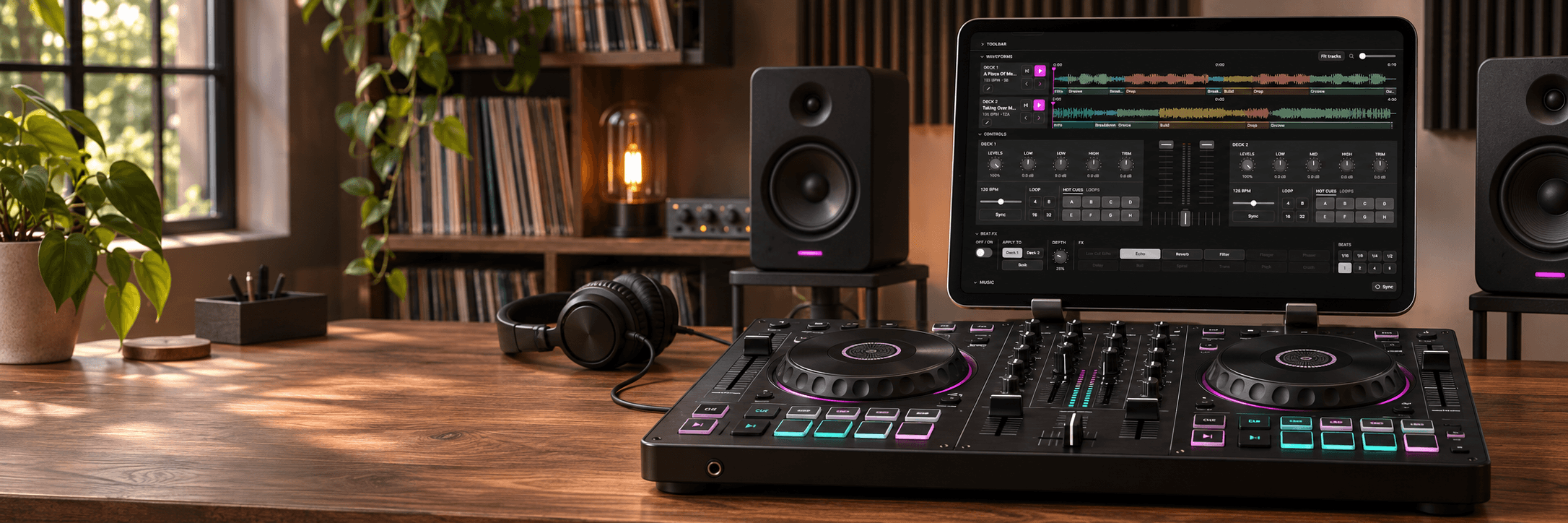
The iPad app has also grown into a DJ-controller companion, with a mixer and music library designed for controllers that would normally need a laptop. The aim is an all-in-one tablet setup with compatible hardware.
The interface draws on familiar DJ workflows, including the two-deck mixer, waveforms, EQ, hot cues, and effects. We wanted those controls to feel intuitive and focused on the task of playing and mixing music.
The signal matters more than the noise
That idea has guided the design throughout the app. We simplify the experience around the essentials, paying attention to what someone needs for the task in front of them. Daily use has been a practical way to judge those choices: I keep returning to the library, playlists, and phrase tools myself.
Signal Music currently runs on iPhone, Android phones, iPad, and Mac desktop. The devices give the product different settings for use, from personal listening to the iPad controller companion.
Buy the apps, choose the analysis services
The plan is a one-time purchase for each app, with a subscription for AI analysis services. Users can create their own phrase maps manually in the app. Pricing is still being determined.
Signal Music began with a personal need and expanded through use. Its center remains the same: make it easy to listen to a collection, understand the music, and take it into the next part of the workflow.